Subtitle Extraction Tool
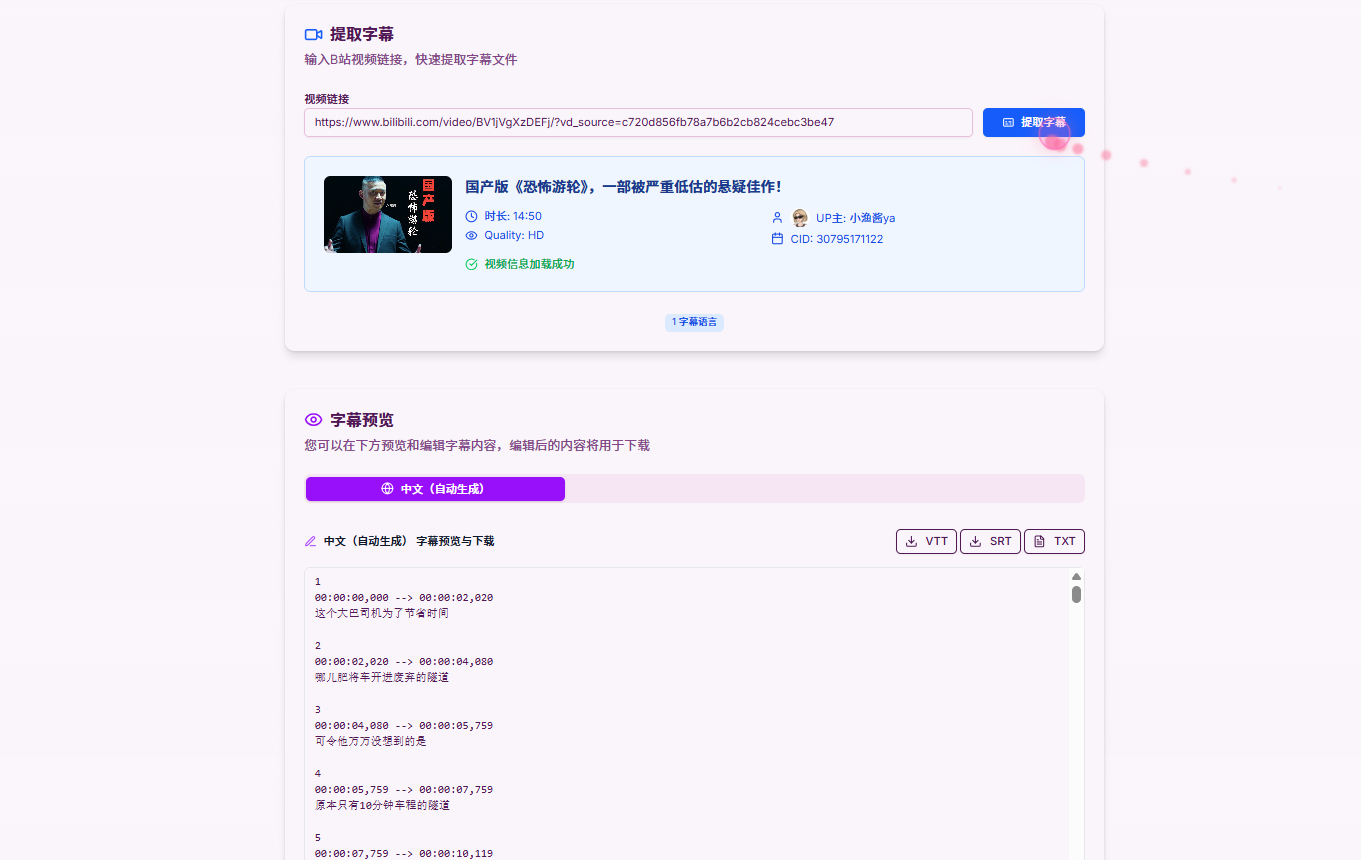
Extract subtitle files from Bilibili videos, supporting multi-language and multiple format downloads.
About Us
We are committed to providing users with the highest quality Bilibili content extraction service, allowing you to easily obtain video subtitles, audio and video resources.
Our team consists of experienced developers who focus on providing users with simple, easy-to-use and powerful tools. Whether you are a content creator, learner or ordinary user, we can meet your needs.
Features
Professional Bilibili subtitle extraction tool, providing comprehensive subtitle services
Smart Subtitle Extraction
Automatically identify and extract all available subtitles from videos, supporting multiple languages
Multi-language Support
Support extraction and download of subtitles in Chinese, English, Japanese and other languages
Safe & Reliable
Using official API interfaces to ensure data security without storing user privacy information
How to Use
Three simple steps to easily get Bilibili video subtitles
QR Login
Scan QR code with Bilibili APP to complete login
Enter Link
Paste Bilibili video link into input box
Extract & Download
Select subtitle language and format, one-click download
Related Tools
Discover more useful Bilibili tools to enhance your experience
User Reviews
Real user feedback showcasing our professional quality
"Very useful tool! Fast extraction speed, high subtitle quality, and completely free."
Student Xiao Ming
Verified User
"As a foreign language learner, this tool helped me get subtitles for many learning materials."
Learning Enthusiast
Verified User
"When making videos, I often need to reference subtitles from other videos, this tool solves my needs."
Video Creator
Verified User
"Supports multiple format downloads, very helpful for our subtitle team's work."
Subtitle Team Member
Verified User
"It is useful for organizing Bilibili course subtitles, and the exported content is easy to review."
Content Operator
Verified User
"The subtitle extraction flow is smooth, and the expanded FAQ makes troubleshooting easier."
Editing Assistant
Verified User
"I often save public-course subtitles for notes, and the page works well on mobile too."
Learning Creator
Verified User
"It helps when organizing video materials in batches, while the page keeps its original style."
Subtitle Team Member
Verified User
FAQ
Answers to questions you may encounter during use
Why do I need to login to my Bilibili account?
Some video subtitles can only be accessed after login. Login ensures the success rate of subtitle extraction while complying with Bilibili's usage guidelines.
What subtitle formats are supported?
Currently supports SRT, TXT and JSON formats. SRT format is suitable for video players, TXT format is convenient for reading, and JSON format is convenient for program processing.
What is the quality of extracted subtitles?
We directly obtain subtitle data from Bilibili's official API, ensuring the original quality and accuracy of subtitles, including timeline information.
Does it support all Bilibili videos?
Only videos with subtitles can be extracted. Some videos may not have subtitles, or may require specific permissions to access.
Is subtitle extraction charged?
Completely free! We do not charge any fees, all features can be used for free.
How fast is subtitle extraction?
Usually completed within a few seconds, specific speed depends on network conditions and the number of video subtitles.
Will my personal information be saved?
We will not save your personal information or video data, all operations are completed in your browser, ensuring privacy and security.
What to do if extraction fails?
Please check if the video link is correct, confirm if the video has subtitles, or try logging in again and extracting again.
Can I extract subtitles in batches?
Currently supports single video subtitle extraction, batch functionality is under development, please stay tuned.
How to solve subtitle file garbled characters?
Downloaded subtitle files use UTF-8 encoding, if garbled characters appear, please use a text editor that supports UTF-8 to open.